If you want cinematic horror in seconds, presets are the fastest way to lock in mood, lighting, and pacing. The best ones do more than add a filter — they shape framing, motion, and atmosphere to feel like real scenes.
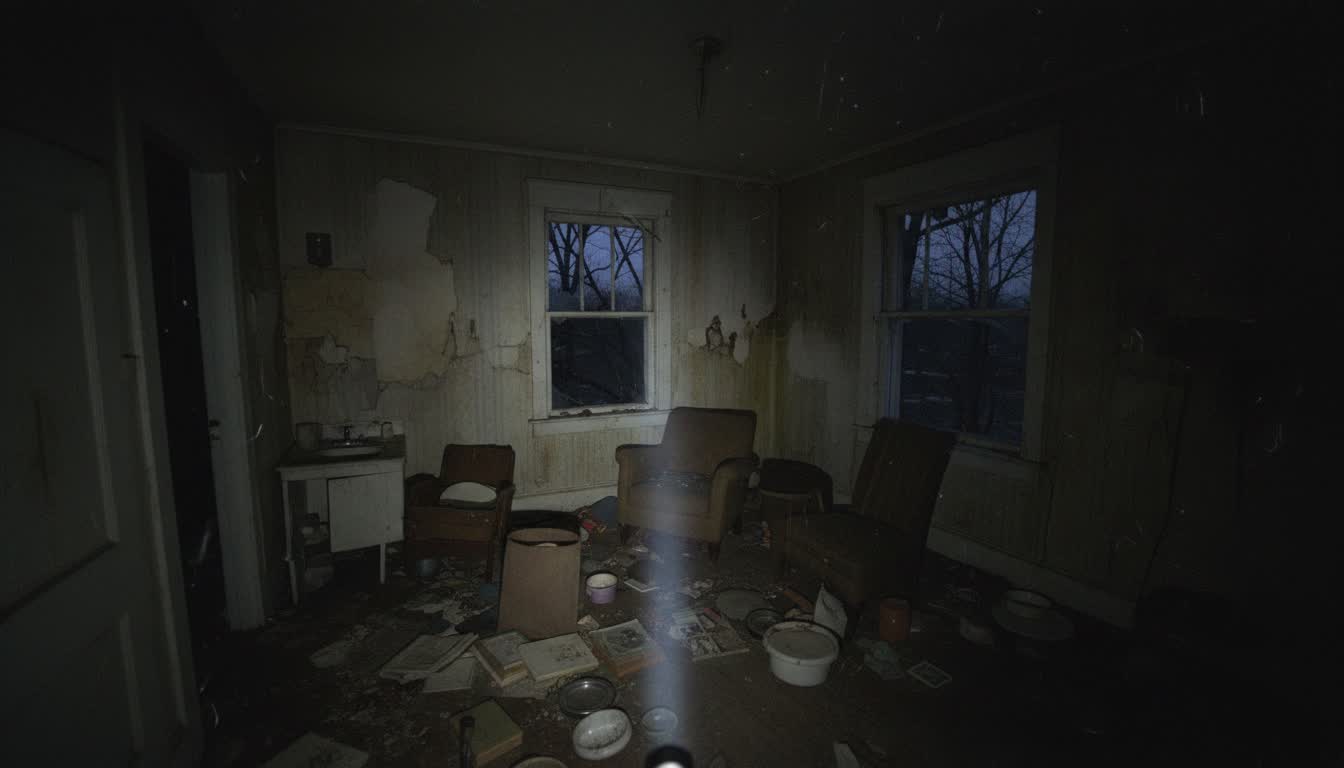
Techniques from the prompt above
Single light source: "Flickering flashlight beams" establishes a practical, indie-friendly lighting setup. "Dimly lit" keeps most of the frame in shadow—less to light, more dread.
POV framing: "POV headcam angle" and "slight blur as if captured unintentionally" sell found-footage or documentary horror. Presets can lock in this camera language.
Implied presence: "Hints of something moving in the corner" creates tension without showing the threat. "Unsettling silence" adds auditory texture to the mental image.
Texture: "Heavy film grain" and "scattered personal belongings" add production value and environmental storytelling. Works well with preset grading.
TL;DR
- Choose presets that control lighting, camera motion, and mood.
- Darkframe presets are tuned for horror pacing and film-style visuals.
- The Presets page generates an image first, then animates it into video.
Short answer
The best cinematic horror presets are the ones that deliver cohesive lighting, camera movement, and tension building. Darkframe’s new Presets page is built specifically for horror, so each preset is tuned for film-style results.
What makes a preset feel cinematic
- Strong lighting direction and contrast
- Purposeful camera movement (not random motion)
- Texture and grading that match a film era or subgenre
- Consistent subject framing
The new Presets page: how it works
Darkframe’s Presets page is designed to take you from idea to clip fast:
- Pick a preset (Found Footage, 80s Slasher, Italian Horror, Body Horror, and more).
- Customize the image prompt to dial in your scene.
- Choose a color palette and optional practical effect.
- Set aspect ratio and style, then generate.
- Darkframe generates a Seedream image first, then animates it with Hailuo for a cinematic clip.
- Your preset image + video appear in your library after generation.
Preset video cards in use
Why horror creators choose Darkframe presets
- Presets are tuned to horror pacing, not generic video styles.
- Visual direction stays consistent from image to video.
- Designed for quick iteration without losing cinematic mood.
FAQ
What is a cinematic video preset?
A cinematic preset is a curated look and motion profile that controls lighting, contrast, framing, and camera movement to feel like a film scene.
Why use presets for horror?
Horror relies on tension, mood, and pacing. Presets help you lock those in quickly without losing visual consistency.
What does Darkframe’s Presets page generate?
It generates a high-quality image first, then animates it into a cinematic video clip.
Ready to build your next horror project?
Sign Up: https://darkframe.ai/signup
Join Discord Community: https://discord.gg/r93kwVHPmq